国内访问GitHub受阻?教你简单修改hosts
面对国内GitHub访问不稳定的问题,本文将指导你如何通过修改hosts文件来快速解决访问困难。
国内GitHub无法访问
众所周知,GitHub是全球知名的代码托管平台,但在国内访问却常常受到限制。那么,当GitHub无法访问时,我们该如何应对呢?以下将介绍一种修改hosts的方法,帮助你实现国内流畅访问。
Github无法访问解决步骤
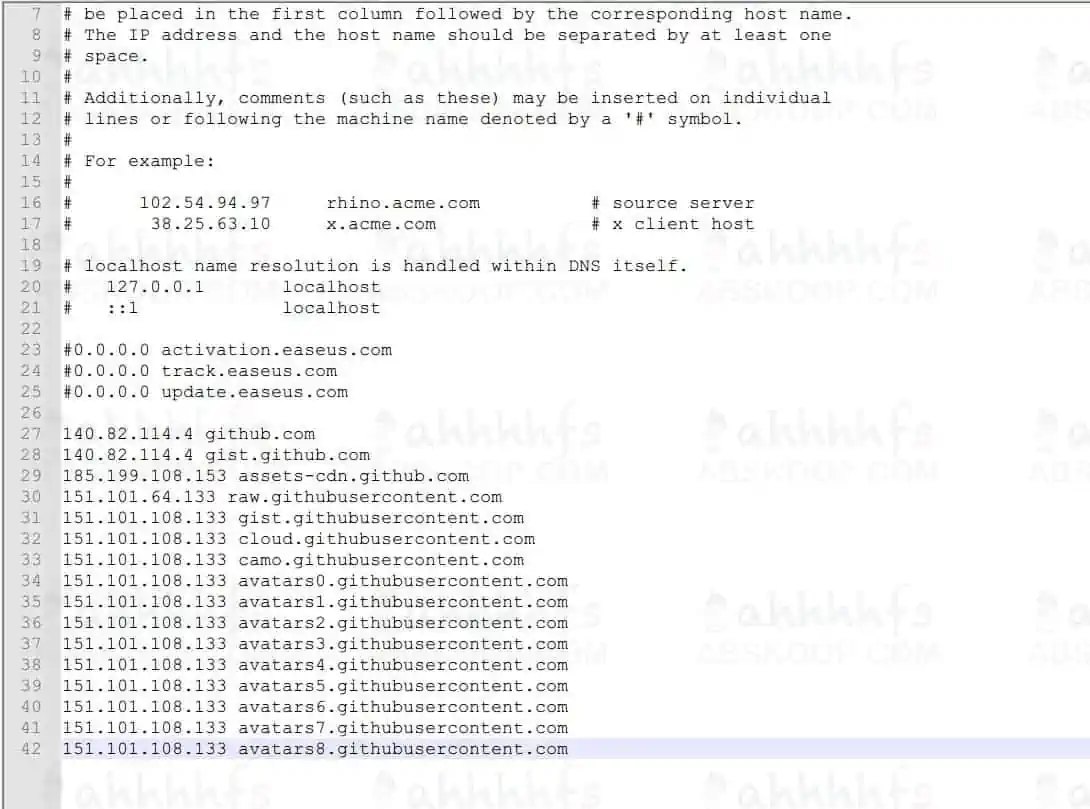
1. 打开C:\Windows\System32\drivers\etc路径下的hosts文件,添加以下内容并保存:
GitHub可用的host
140.82.114.4 github.com
140.82.114.4 gist.github.com
185.199.108.153 assets-cdn.github.com
151.101.64.133 raw.githubusercontent.com
151.101.108.133 gist.githubusercontent.com
151.101.108.133 cloud.githubusercontent.com
151.101.108.133 camo.githubusercontent.com
151.101.108.133 avatars0.githubusercontent.com
151.101.108.133 avatars1.githubusercontent.com
151.101.108.133 avatars2.githubusercontent.com
151.101.108.133 avatars3.githubusercontent.com
151.101.108.133 avatars4.githubusercontent.com
151.101.108.133 avatars5.githubusercontent.com
151.101.108.133 avatars6.githubusercontent.com
151.101.108.133 avatars7.githubusercontent.com
151.101.108.133 avatars8.githubusercontent.com
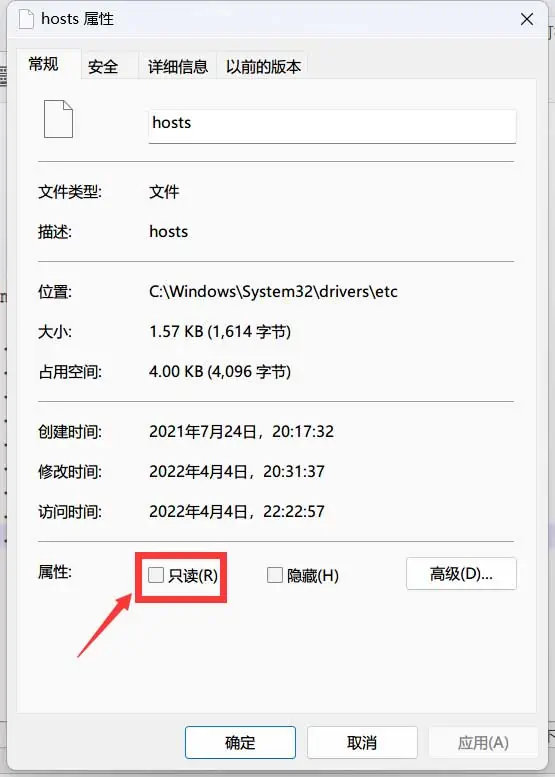
2. 如果无法编辑,右键打开文件属性,将“只读”取消勾选并应用保存。
3. Win+R打开运行框,输入cmd打开命令窗口,输入ipconfig/flushdns命令。
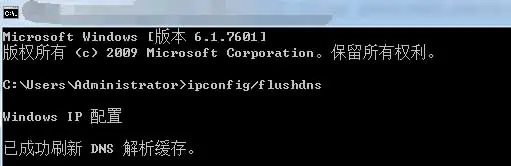
4. 按照上述步骤操作后,就可以愉快地访问GitHub了!
如果你有较强的动手能力,还可以尝试搭建一个GitHub加速器,具体教程可参考基于Cloudflare搭建属于自己的GitHub加速站。