小说书源导入指南
热爱小说阅读的朋友们,一定对书源导入不陌生。以下将为您详细介绍如何使用Legado开源阅读app导入书源,让您轻松享受免费阅读的乐趣。
书源介绍
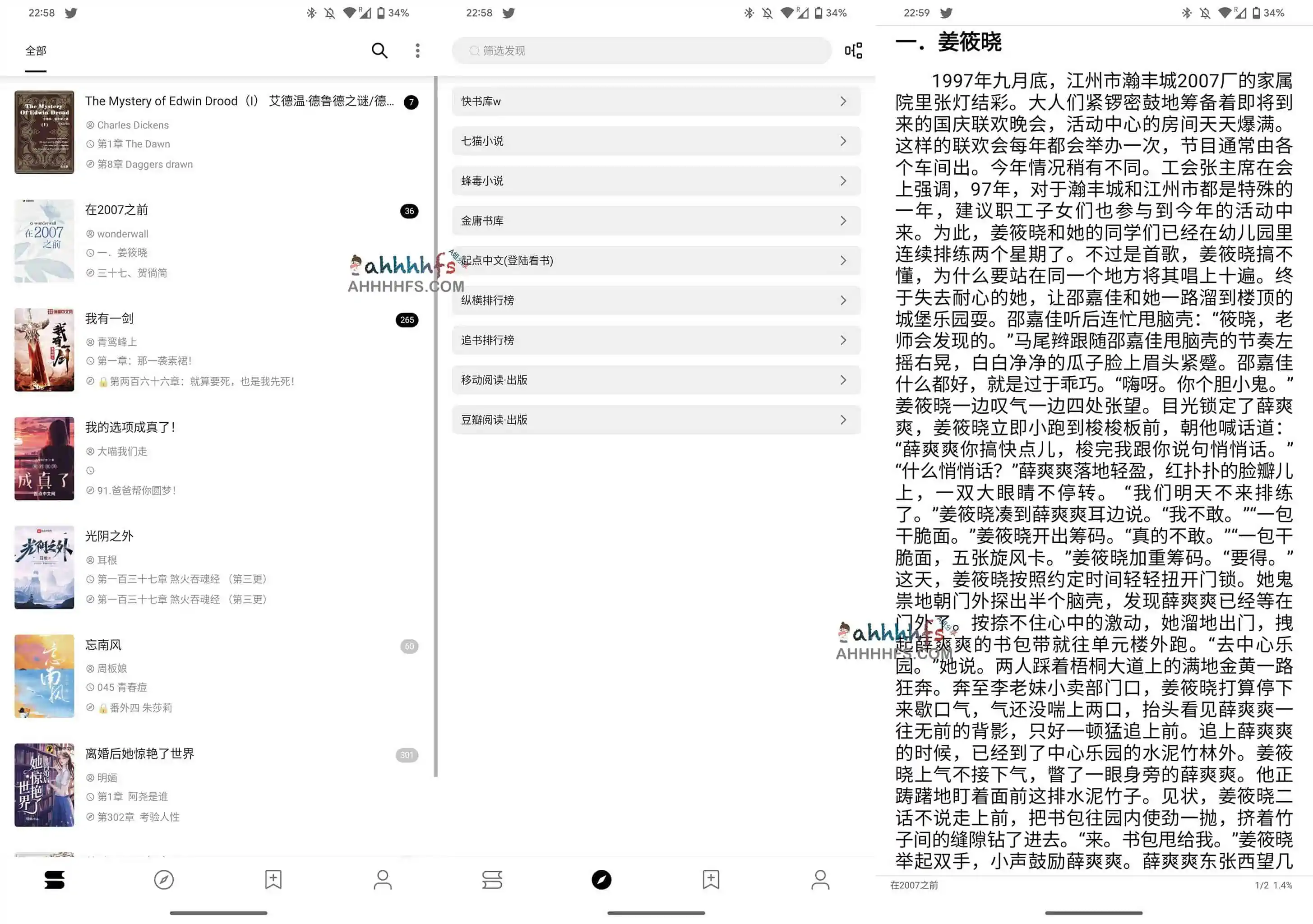
Legado是一款开源的阅读应用,支持多种书源导入。它汇聚了七猫小说、金庸书库、起点中文、豆瓣阅读等众多书源,让您在一个软件中就能浏览不同网站的书源。
8月份书源导入网址
- namofree:https://legado.pages.dev/08-sy-namofree.txt
- 一程:https://legado.pages.dev/08-sy-yc.json
- 订阅:https://legado.pages.dev/08-dy-yc.json
- 破冰:https://legado.pages.dev/08-sy-pb.txt
- 风停在了窗边:https://legado.pages.dev/08-sy-ftzlcb.txt
- 订阅:https://legado.pages.dev/08-dy-ftzlcb.txt
- haxc(漫画):https://legado.pages.dev/mhy-haxc.txt
更多书源地址,请访问:https://www.legado.top/blog/book-source-2022-8
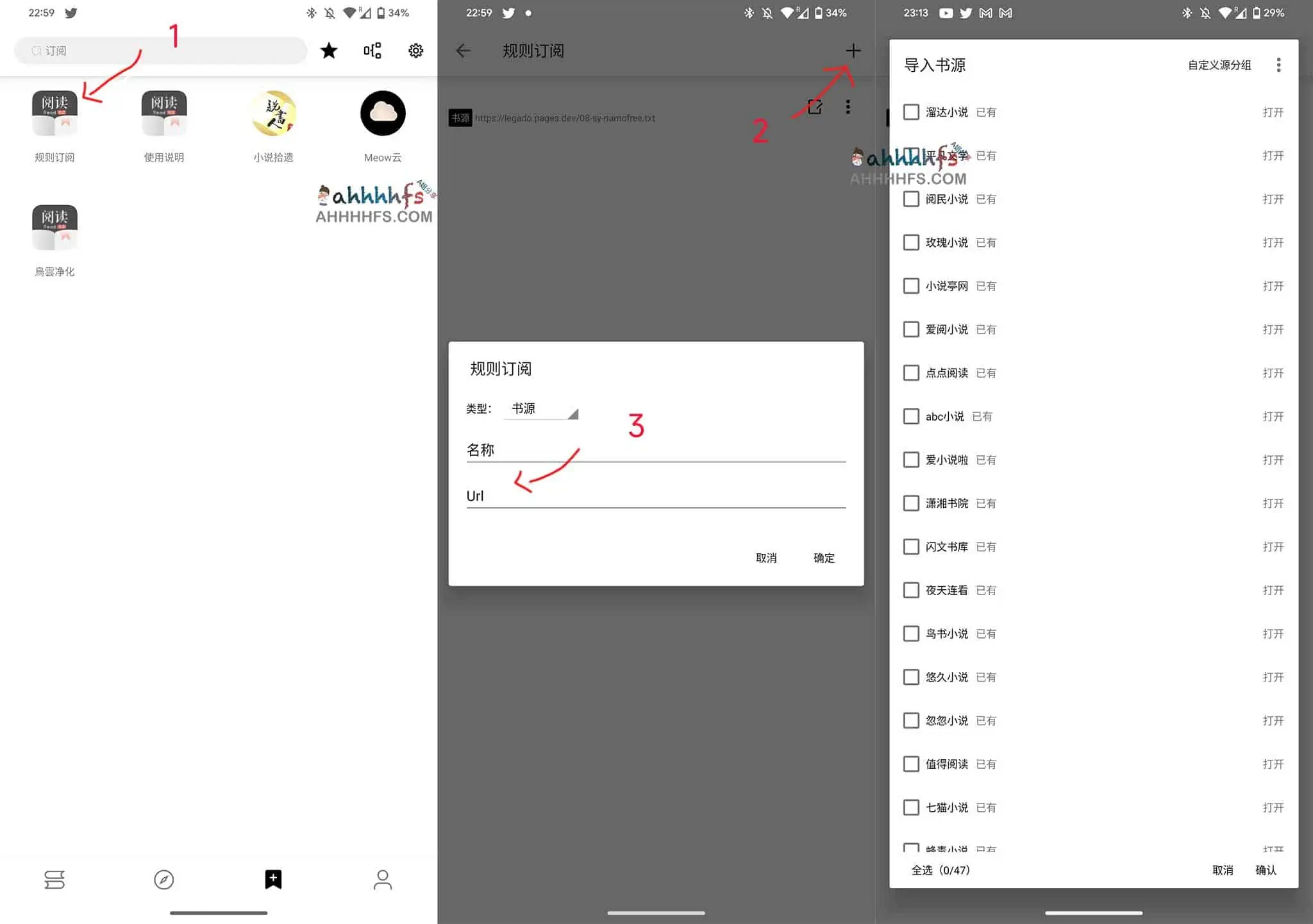
书源导入步骤
app安装
首次使用Legado的朋友,请先下载并安装该应用。
下载地址:https://github.com/gedoor/legado/releases/tag/3.22.080322
书源导入
建议在导入新书源前,先删除旧书源。导入书源步骤简单,您也可以自行寻找更多优质书源进行导入。